Car AI
I soldered, 3D-printed, and coded a hands-free AI voice assistant for my car.
· 3 APIs connected · Built in 1 week · Used daily
Overview
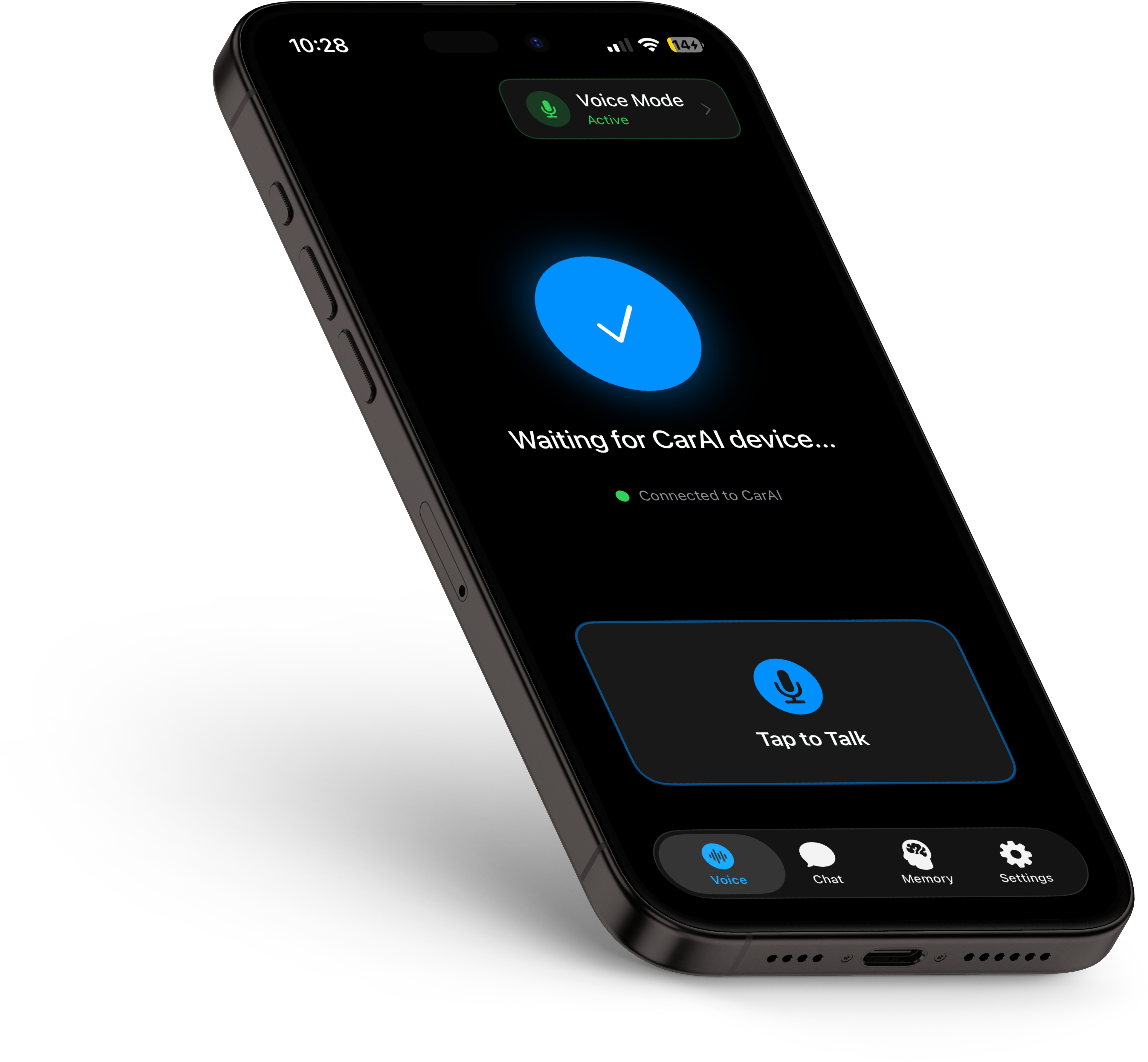
Car AI is a custom-built, hands-free voice assistant I designed and developed in spring 2026. It combines a physical hardware device I soldered and 3D-printed with a sideloaded iOS app I built in Xcode. You plug the device into your car, press a button, talk, and an AI responds out loud. No phone interaction required.
The project spans hardware design, circuit prototyping, 3D modeling, iOS development, prompt engineering, and API integration — all built to solve a specific frustration I had with using AI while driving.
Role & Scope
Solo project. I designed the circuit, soldered the hardware, modeled and 3D-printed the case, developed the iOS app, and connected all the APIs.
The Problem
I regularly use AI voice modes — ChatGPT, Gemini, Claude — for brainstorming and thinking out loud. But using them while driving is a mess. Voice recordings cut out due to unstable connections. Transcriptions fail. Messages don't save. The experience is unreliable at exactly the moment you need it most: when your hands are on the wheel and your brain is free to think.
The workaround I'd been using was clunky: record a voice memo on my phone, wait for it to transcribe, copy the transcription, paste it into an AI app, then have the app read the response aloud. That's at least five steps involving my phone screen while driving. It worked, but it was distracting, slow, and defeated the entire purpose of a hands-free workflow.
I wanted to reduce that entire process to a single button press.
Process
The Hardware
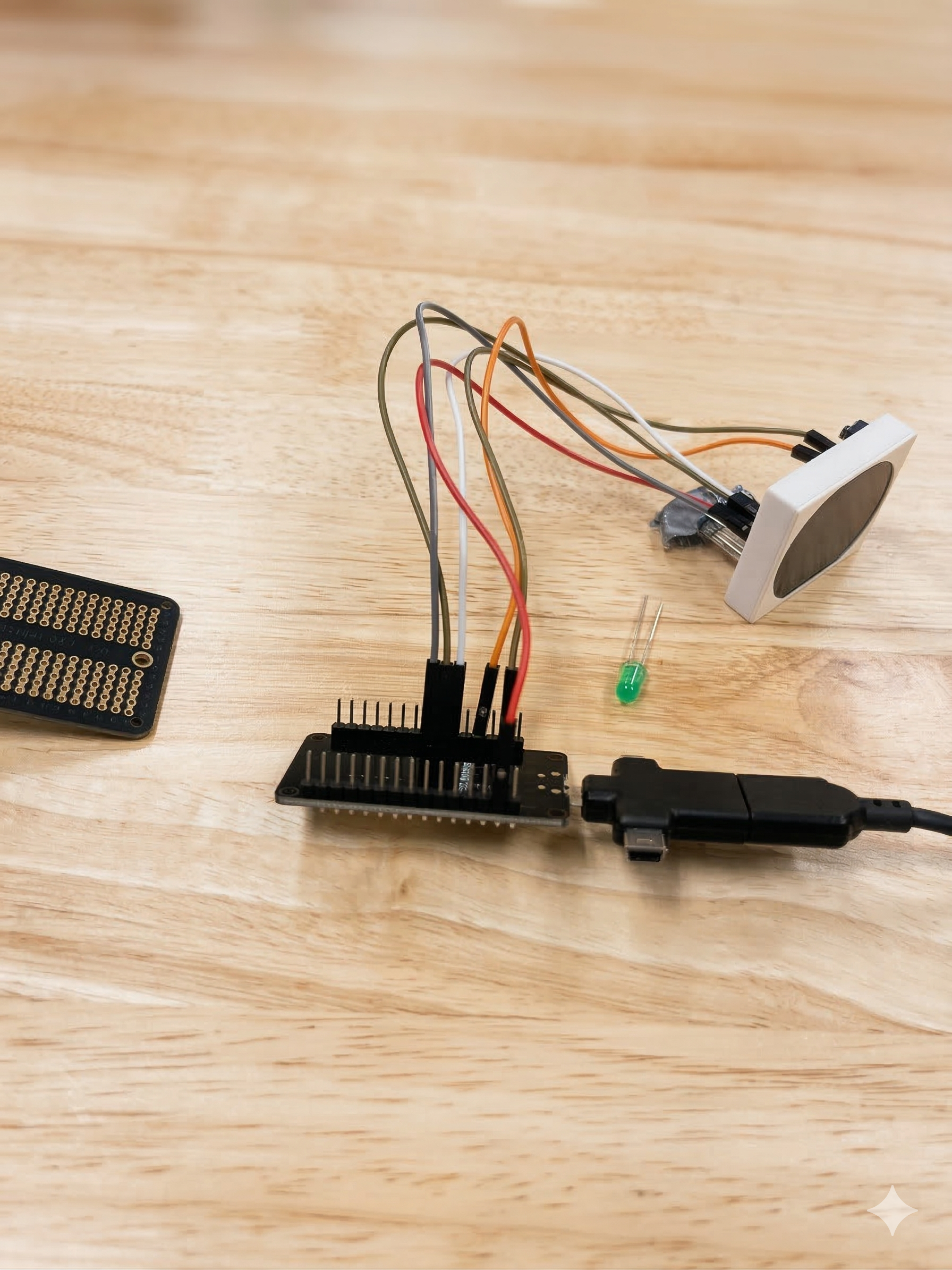
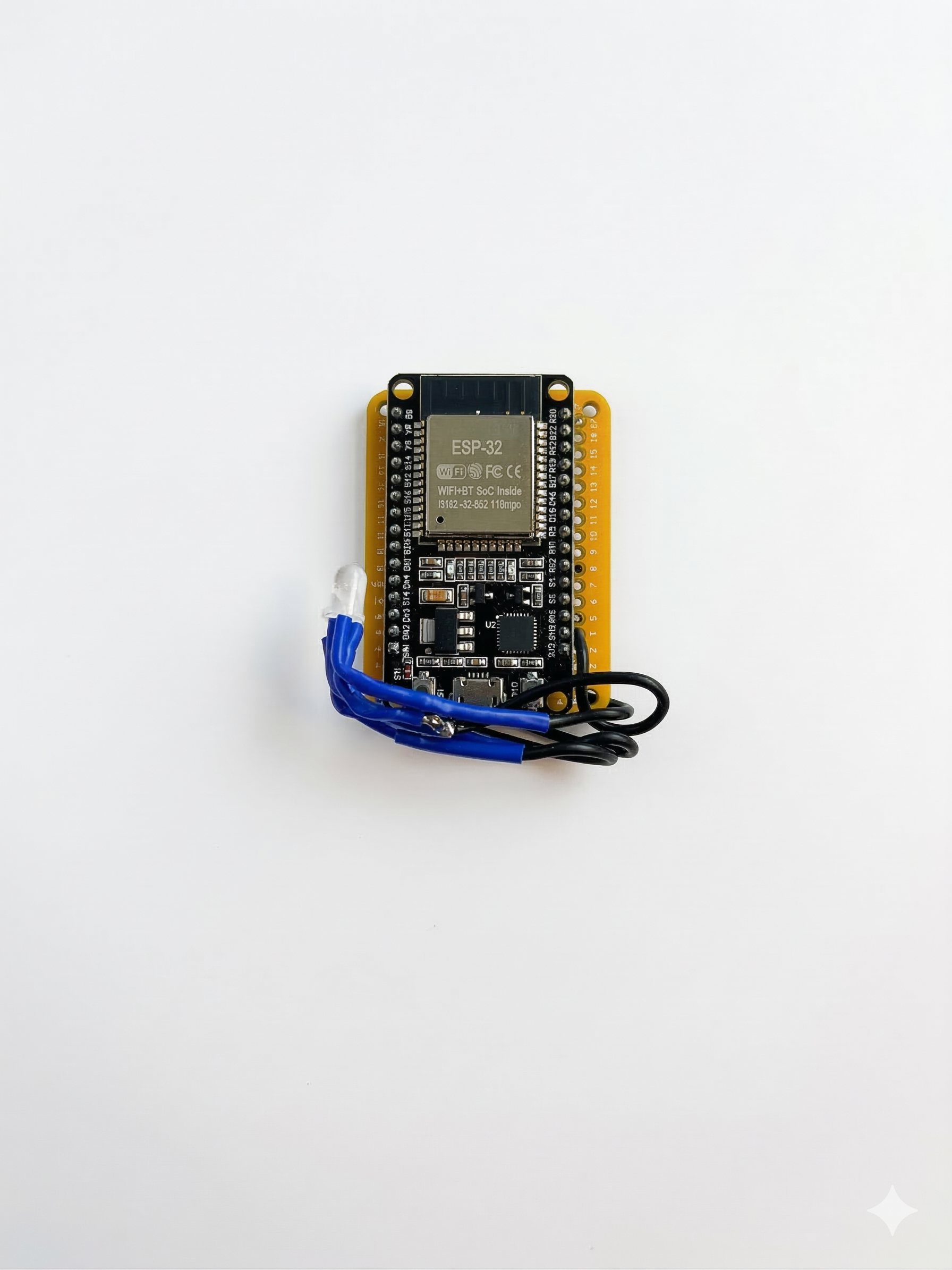
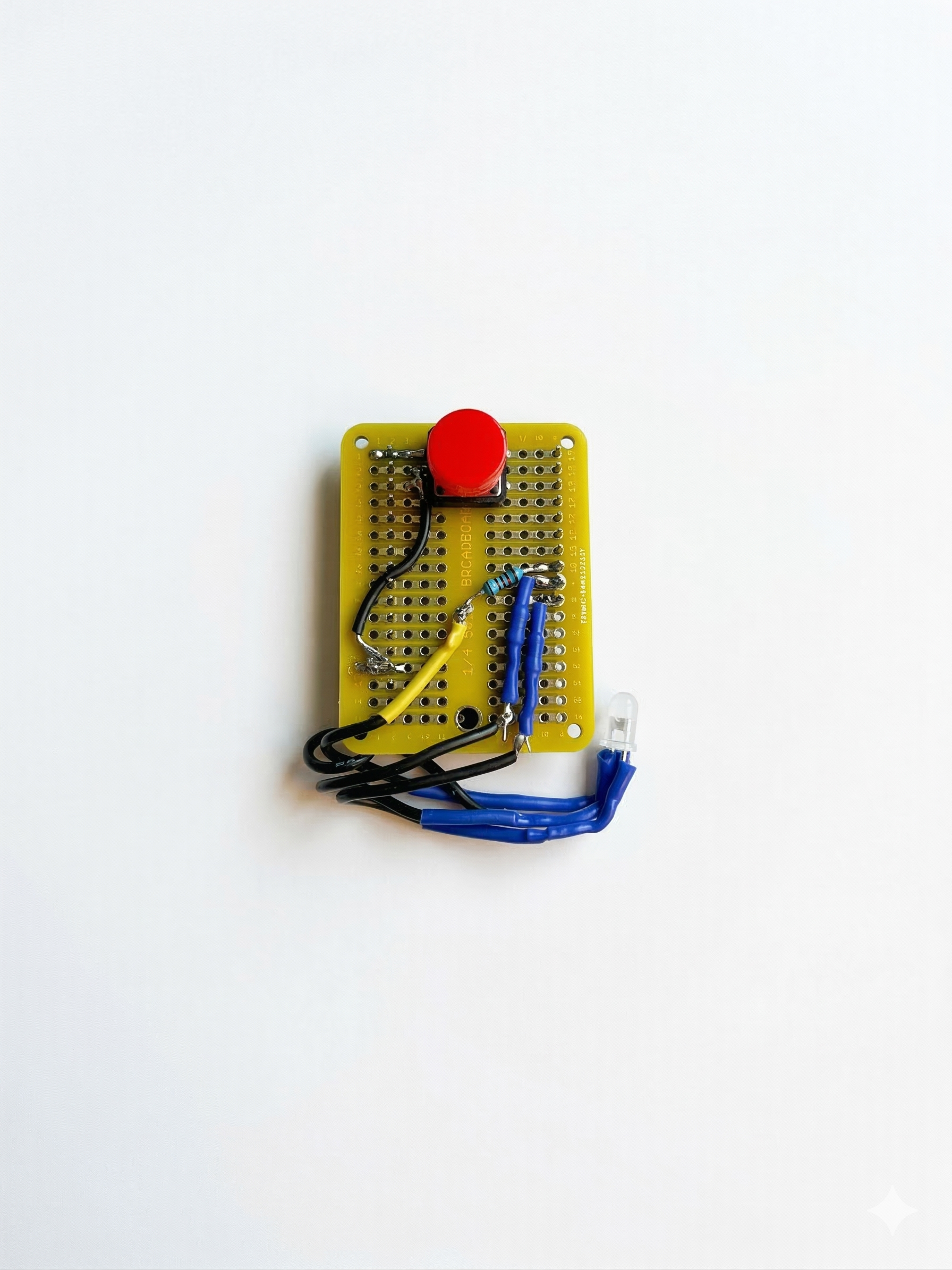
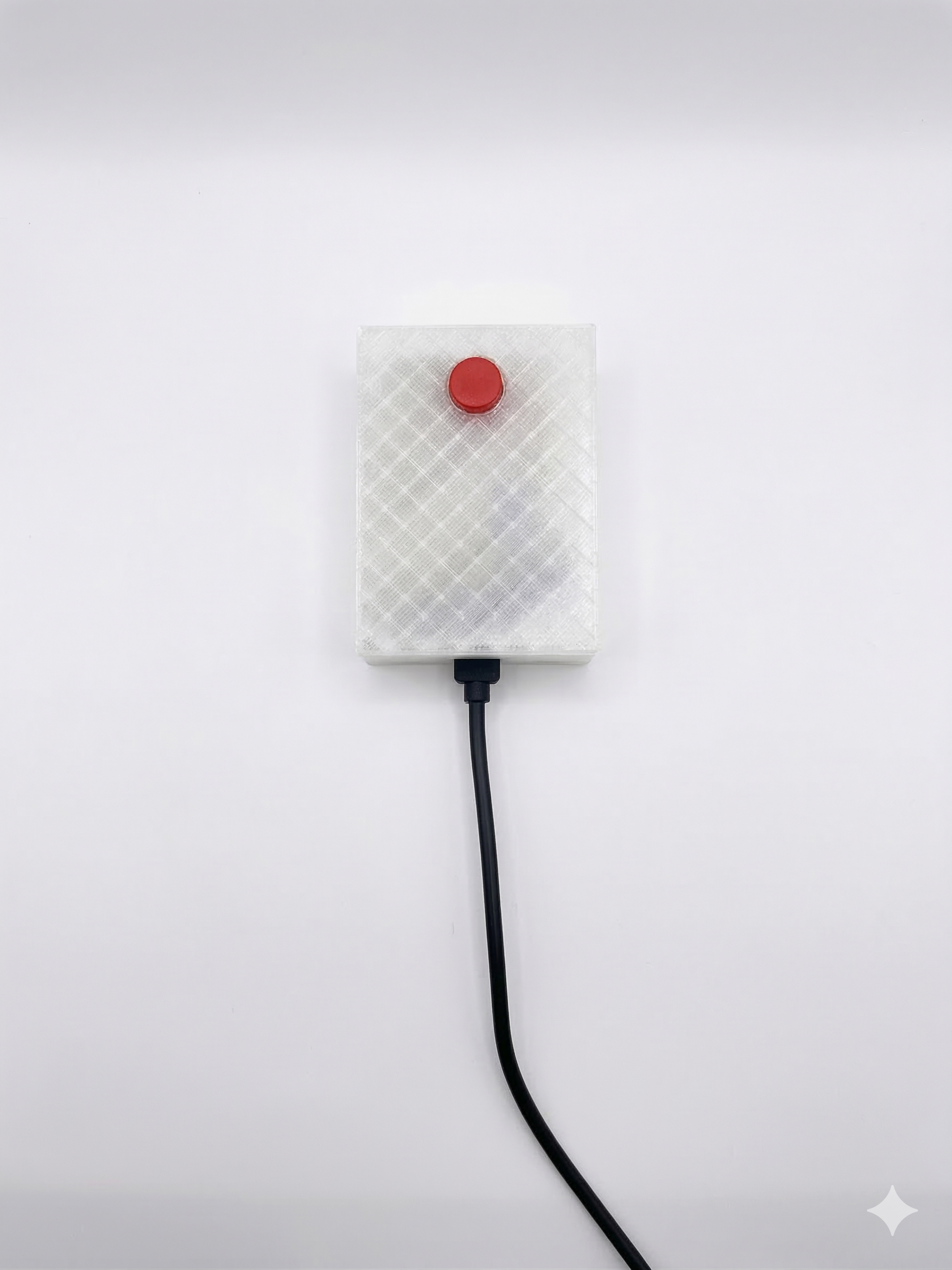
The physical device is built around an ESP32 microcontroller soldered to a proto board, connected to an RGB LED and a push button. The ESP32 connects to my phone over Bluetooth, acting as a Bluetooth keyboard — the phone sees it as an input device, which keeps the pairing simple and reliable.
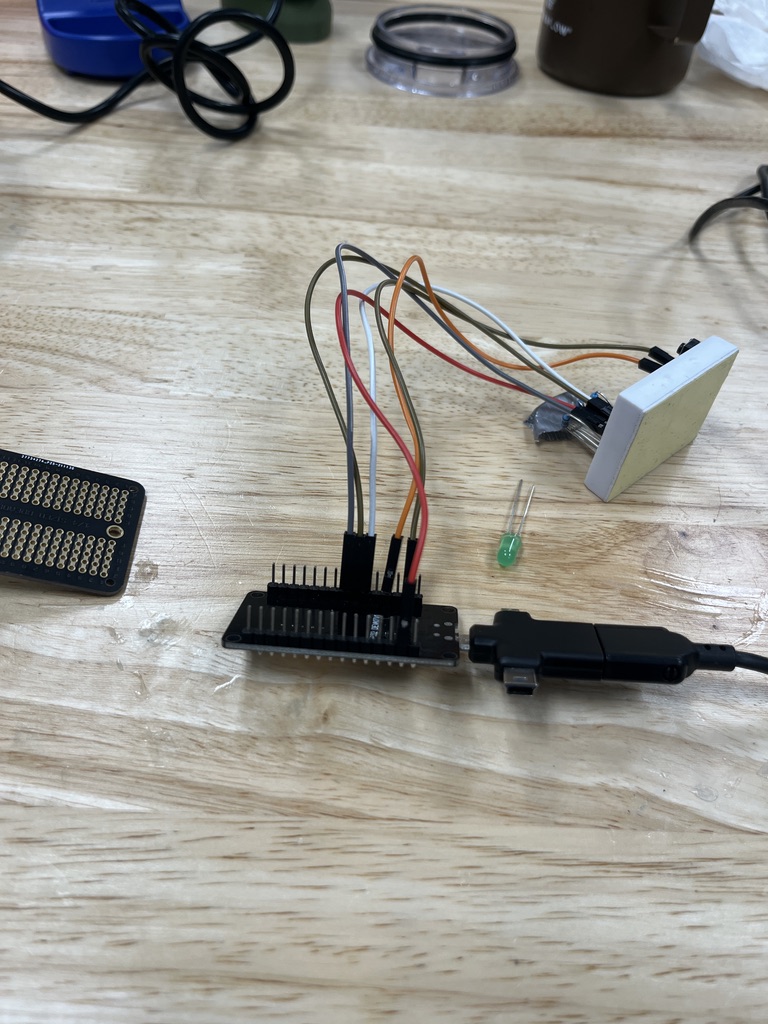
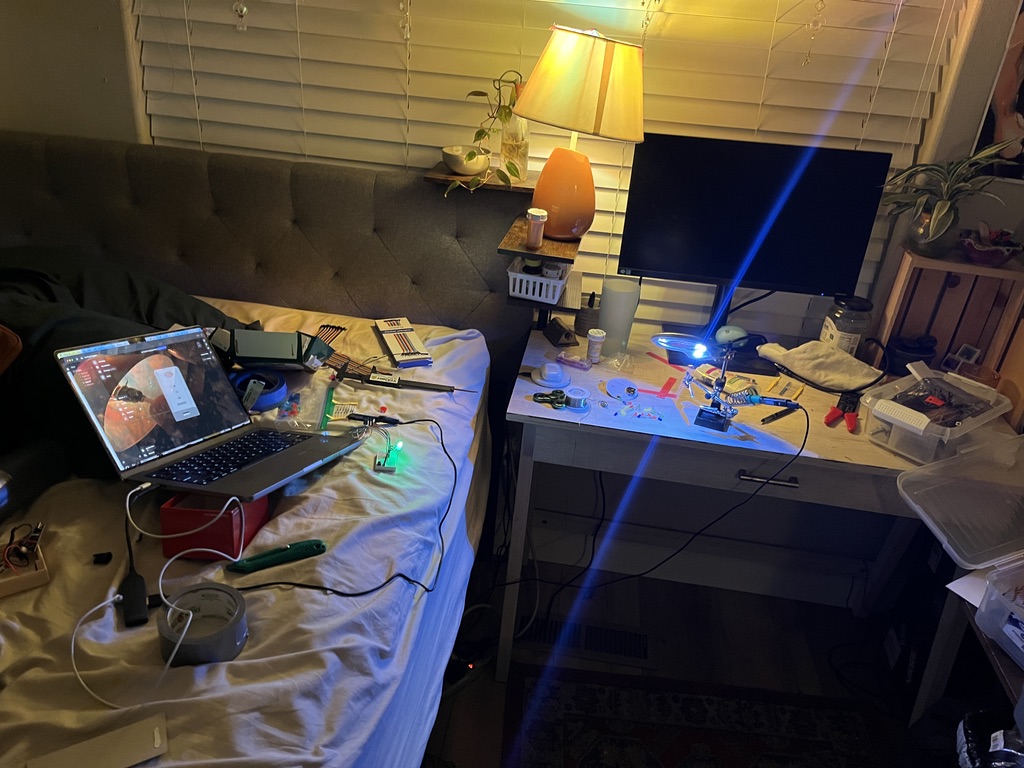
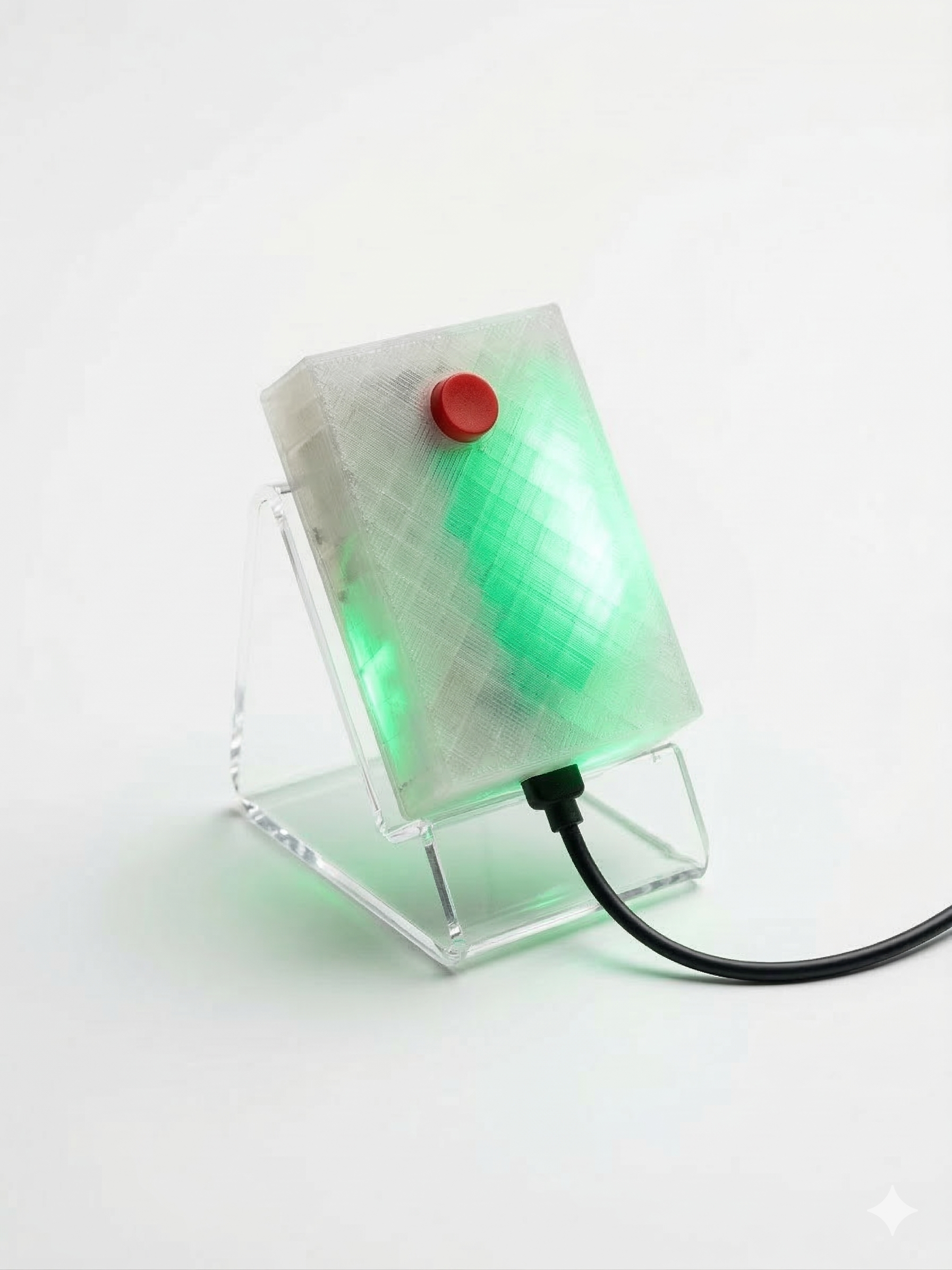
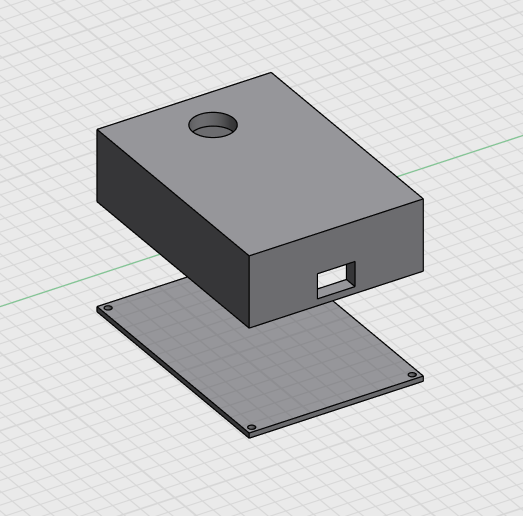
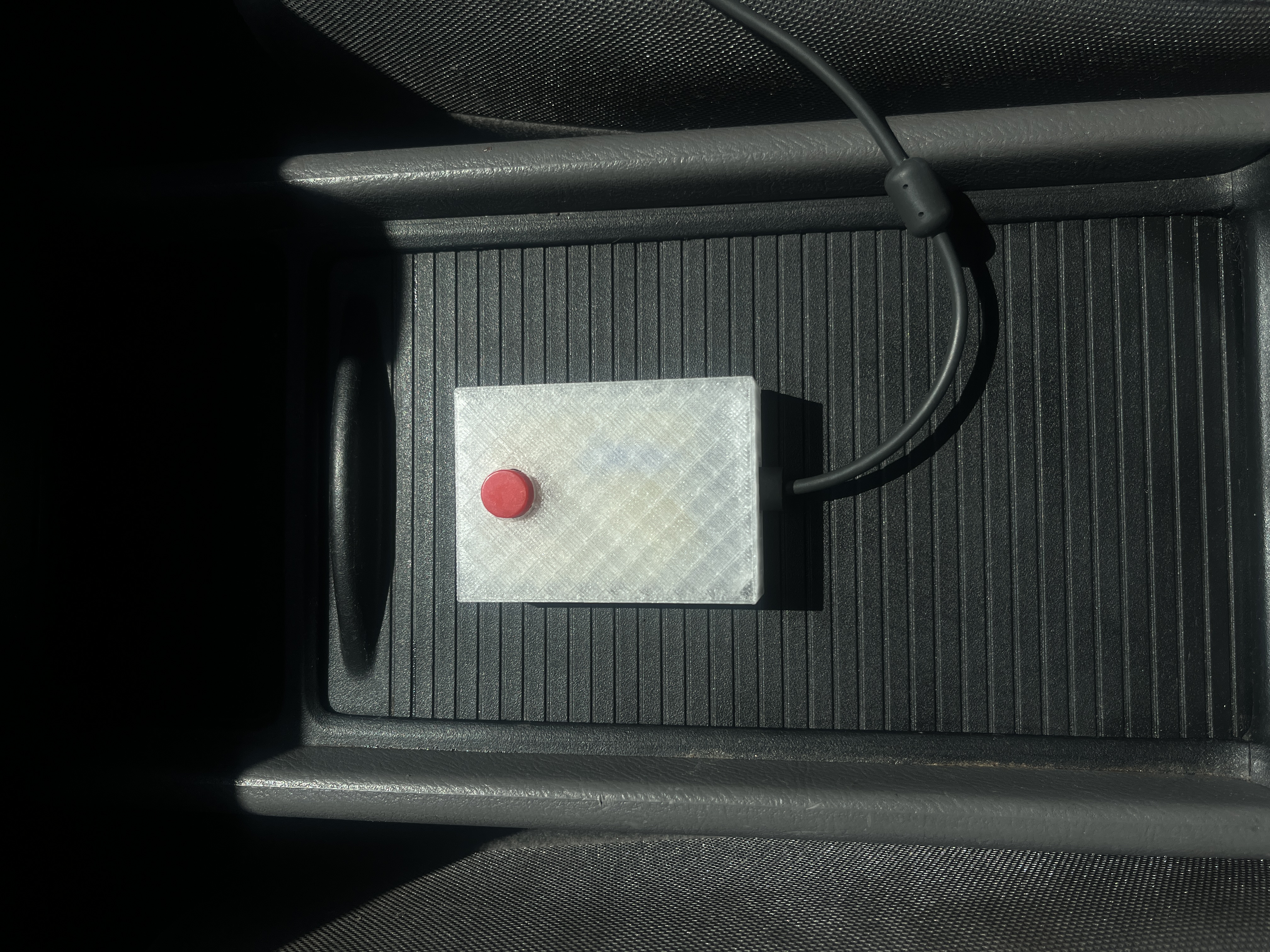
I designed the circuit myself and prototyped it on a breadboard first before soldering everything to the proto board. Once the electronics were solid, I modeled a custom case in 3D and printed it in transparent PLA. The final device is compact: just a single button on top, an LED visible through the translucent case, and a micro USB port for power. It plugs directly into the car's cigarette lighter adapter.
The LED States
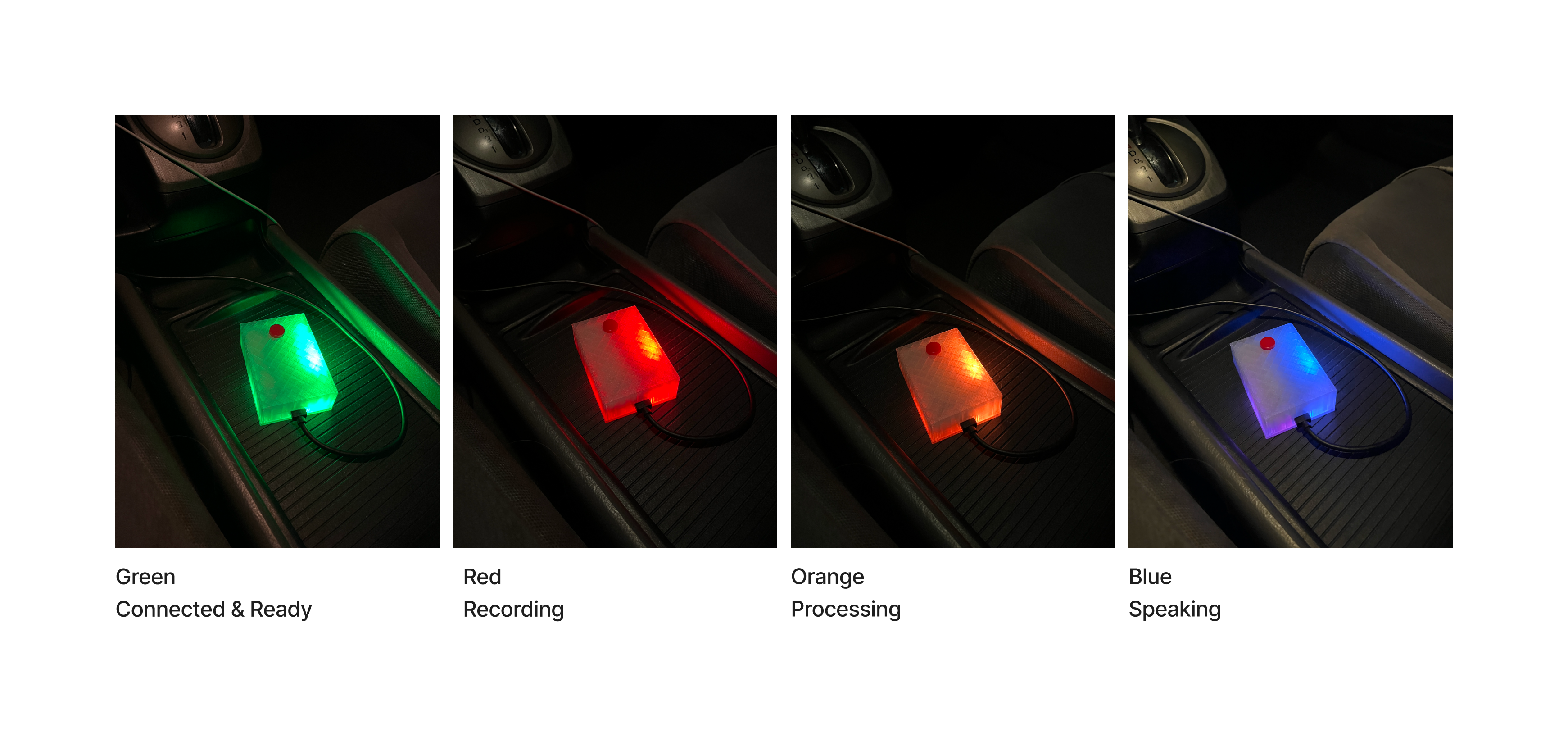
The RGB LED provides at-a-glance feedback so I never have to look at my phone. Each color maps to a stage in the interaction:
- Soft pulsing blue — searching for Bluetooth connection
- Green — connected and ready for a message
- Red — recording your voice
- Orange — AI is processing your message
- Blue — AI is speaking its response
At any point during the AI's response, you can press the button to interrupt it and start a new message. The LED states make the entire system legible from your peripheral vision while driving.
The Software
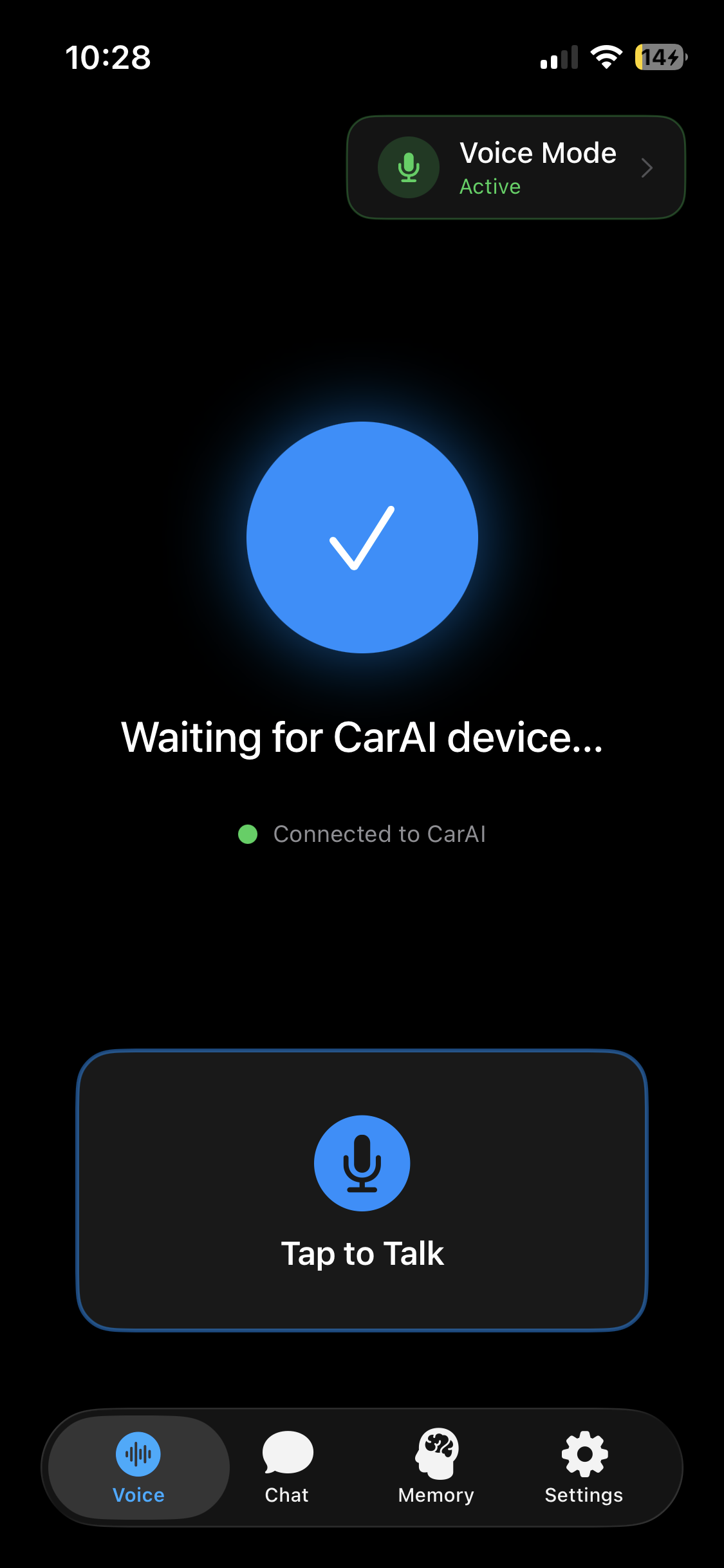
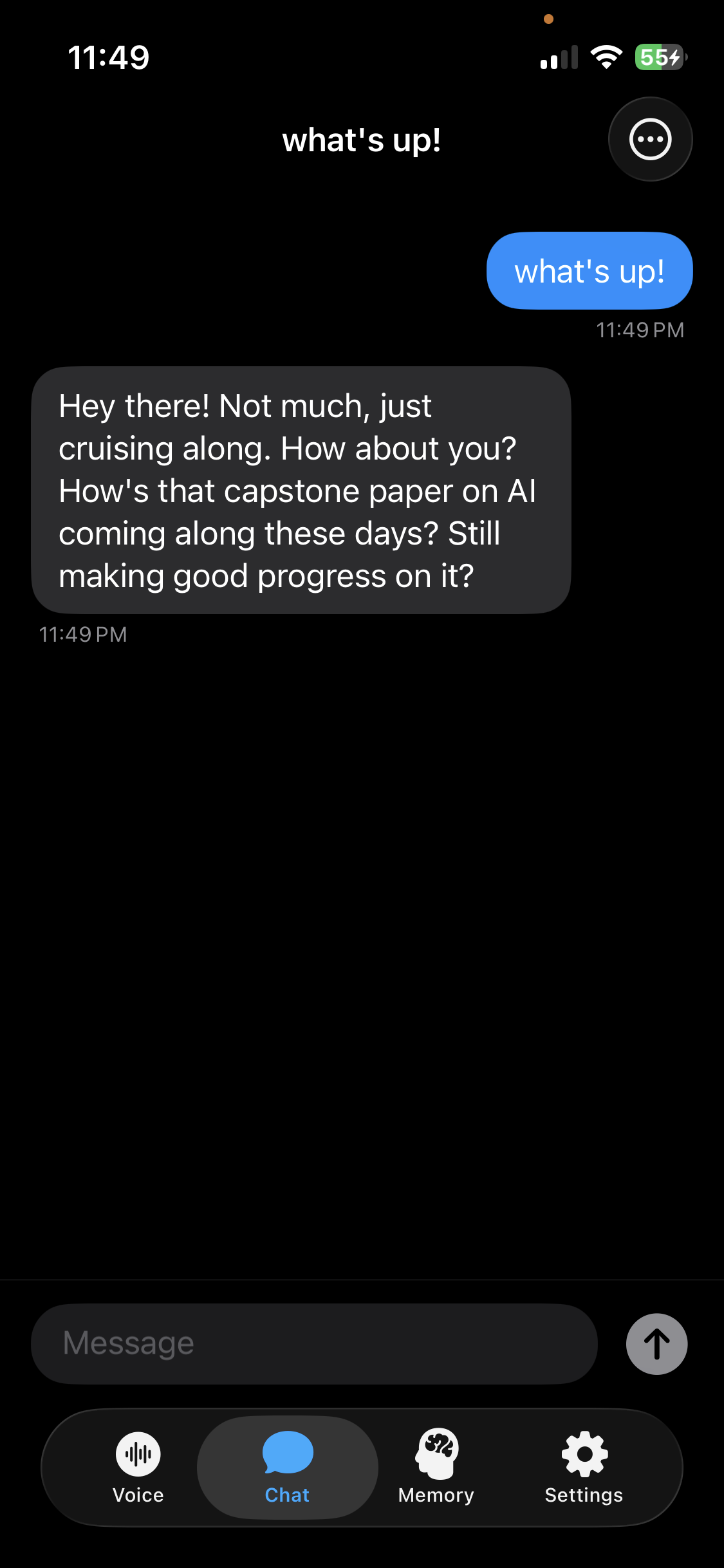
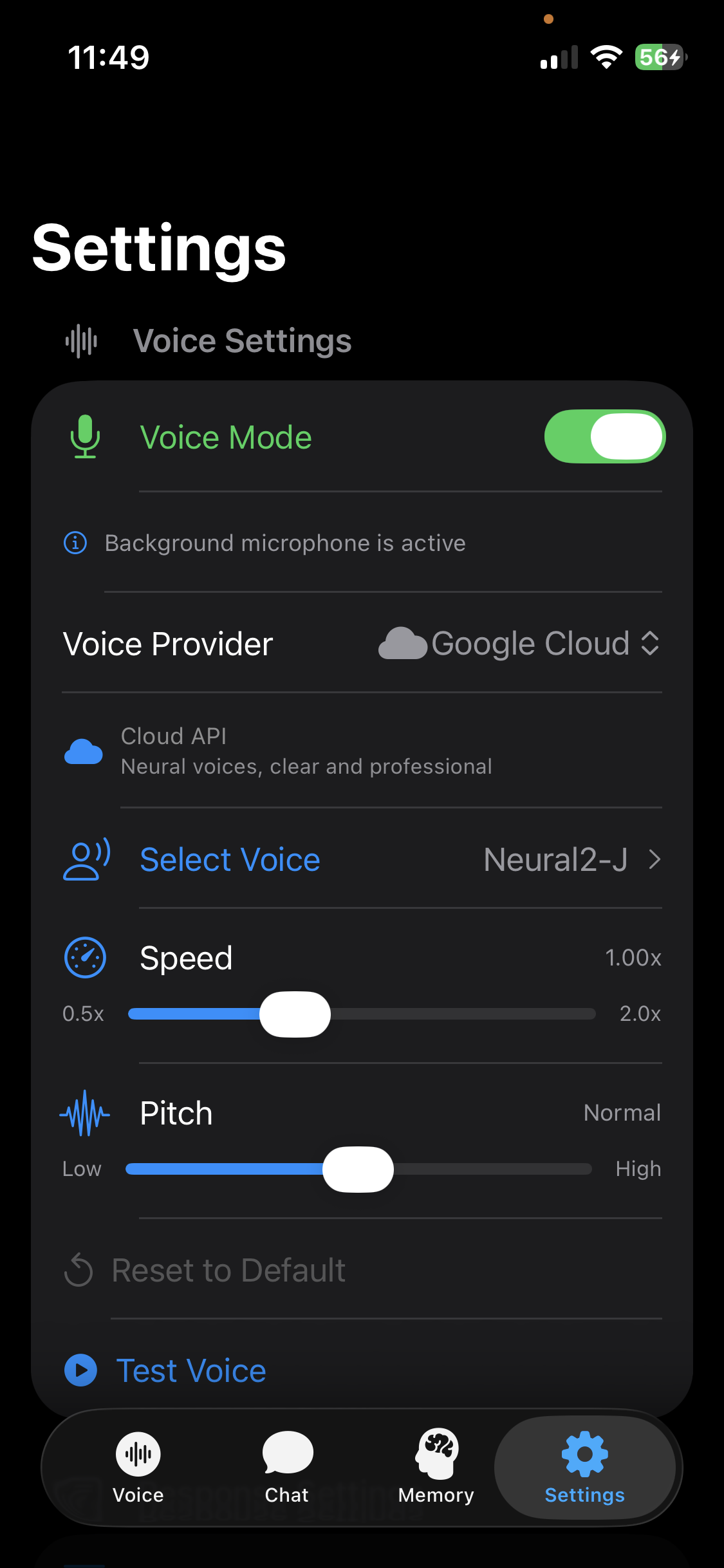
The iOS app is built in Xcode and side-loaded onto my phone. When the button is pressed, the app starts recording audio on-device. When the button is pressed again, the recording is transcribed using Apple's on-device speech-to-text model. The transcription is then sent to Gemini Flash 2.5, and the AI's response is spoken back through a text-to-speech model of your choice.
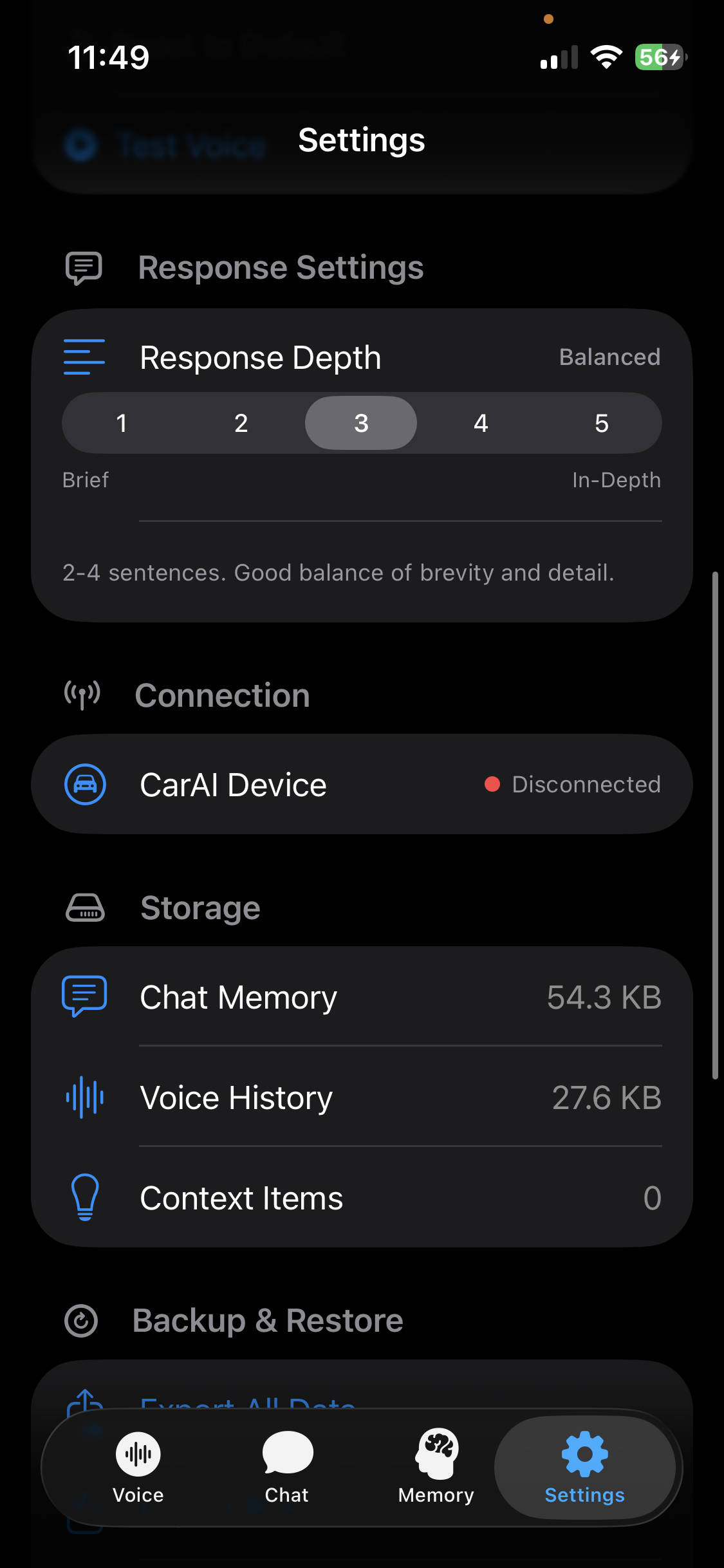
The app is designed to be a plug-and-play system for mixing and matching AI components. You can swap between different text-to-speech engines — Apple's on-device voices, Google's TTS API, or ElevenLabs voice models — each with different voice options and latency profiles. You can also adjust how verbose the AI's responses are through simple UI controls, rather than having to manually edit system prompts.
The Hardest Part
Getting the ESP32 and the iOS app to communicate bidirectionally over Bluetooth was the trickiest challenge. Sending button presses from the device to the app was straightforward — the ESP32 acts as a Bluetooth keyboard. But sending status updates back from the app to the ESP32, so the LED could reflect what stage the AI was in, required more configuration. That two-way communication is what makes the hardware feel responsive and connected rather than like a dumb remote.
Key Design Decisions
One button, zero screens. The entire interaction model is built around never touching your phone. One press to start talking, one press to stop. The LED tells you everything else. This constraint drove every design choice in both the hardware and software.
Swappable AI components. Rather than locking into a single speech-to-text, AI model, and text-to-speech pipeline, I built the app so each layer can be swapped independently. This means the system improves as better models become available without rebuilding anything.
On-device memory with full user control. Context is stored locally in an exportable file. No cloud dependency for personal data. You own your conversation history and can move it or wipe it whenever you want.
Peripheral-vision feedback. The LED color system was designed specifically for driving — you should be able to tell the device's state from a glance without taking your eyes off the road. Each color is distinct and each state transition is immediately legible.
The Outcome
Car AI is fully functional and I use it as my daily driver (no pun intended). It auto-connects when I plug it into power, runs in the background on my phone, and handles everything from quick questions to long brainstorming sessions while I drive.
The difference from my previous workflow is significant. What used to require opening multiple apps, copying transcriptions, pasting text, and reading responses on a screen is now a single button press and a spoken reply. The entire interaction happens without touching my phone once.
The total cost of the hardware was minimal — an ESP32, a button, an LED, a proto board, and some transparent PLA filament. The build took about a week from initial breadboard prototype to finished, cased product.
Reflection
Car AI is the project that best demonstrates my range. It required me to design a circuit, solder physical hardware, model and 3D-print a case, develop an iOS app, engineer AI prompts, and connect multiple APIs into a seamless pipeline — all to solve a real daily frustration.
What I'm most proud of is how invisible the technology feels when you're using it. The device just works. You press a button, you talk, you listen. The complexity is all underneath, and that's exactly where it should be. The best design doesn't draw attention to itself — it just removes friction from your life.
If I continue developing it, I'd like to explore making the hardware smaller, adding support for more AI models as the API landscape evolves, and potentially packaging it as something other people could use in their own cars.